

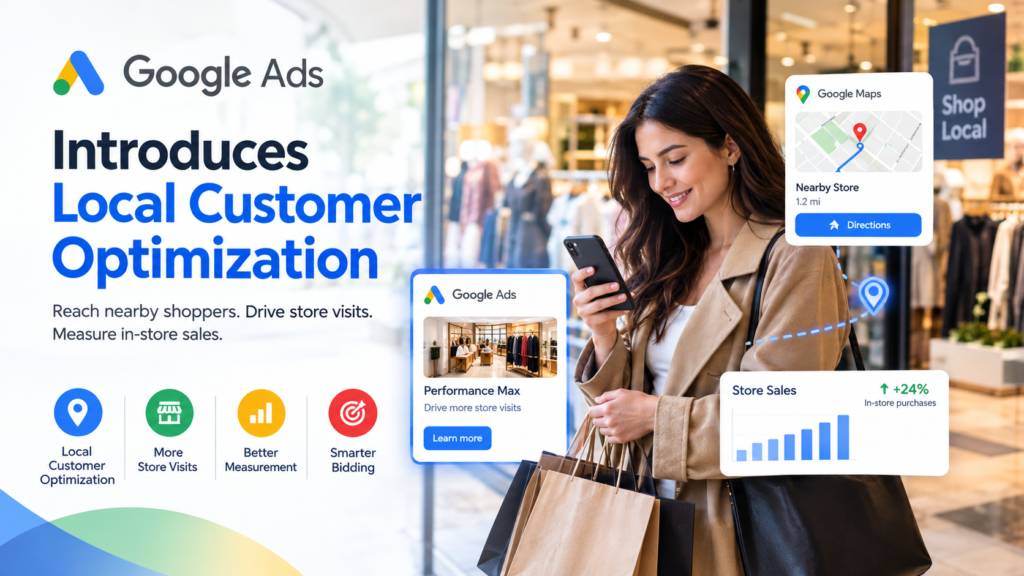
Google Ads is introducing Local Customer Optimization for Performance Max campaigns, giving eligible retailers another way to reach people who are more likely to visit a physical store. The update also brings improvements to Store Sales measurement, helping businesses connect offline purchases with their digital advertising efforts.
For retailers, understanding these changes is important because online searches, navigation activity, and in-store purchases often work together before a customer makes a buying decision. With better optimization signals and improved conversion tracking, advertisers can make more informed decisions about their campaigns.
In this guide, we explain how Google Ads Introduces Local Customer Optimization, how Store Sales measurement works, which advertisers may benefit, and what businesses should review before updating their campaigns.
What Is Local Customer Optimization in Google Ads?
Local Customer Optimization is a campaign-level setting designed for eligible Performance Max campaigns focused on store-related goals. It helps Google Ads prioritize potential customers who appear more likely to take an offline action, such as visiting a business location or contacting a store.
According to Google’s announcement, the feature uses signals associated with location discovery, navigation, and local searches across Google services, including Google Maps, Waze, and local formats on Google Search.
For businesses with physical locations, this creates an opportunity to align advertising more closely with real-world customer activity.
How Does Local Customer Optimization Work?
Local Customer Optimization uses Google’s available signals to help identify people who may be interested in visiting a nearby business.
Depending on the campaign setup and available conversion actions, relevant customer activities may include:
- Searching for a nearby store or business.
- Requesting directions to a physical location.
- Calling a business to ask about products or services.
- Showing interest in a location while planning a journey.
These signals help Google’s automated advertising system prioritize potential local customers. However, they do not guarantee that someone will visit a store or complete a purchase.
Advertisers should continue monitoring campaign performance to determine whether the setting delivers meaningful business results.
How to Enable Local Customer Optimization in Performance Max
Advertisers can explore Local Customer Optimization when creating an eligible Performance Max campaign or by reviewing the settings of an existing eligible campaign.
The available options depend on campaign objectives and account eligibility.
Steps to Review the Setting
- Sign in to your Google Ads account.
- Open an existing eligible Performance Max campaign or begin creating a new campaign.
- Review the campaign objectives and conversion goals.
- Confirm that the campaign is focused on eligible offline or store-related goals.
- Look for Local Customer Optimization within the relevant campaign or budget and bidding optimization settings.
- Review your conversion tracking and bidding strategy before applying any changes.
- Monitor performance after the setting becomes available and is enabled.
The exact interface may change as Google rolls out the feature.
Important Campaign Limitations
Local Customer Optimization is not suitable for every Performance Max campaign.
Advertisers should be aware of these restrictions:
- Online campaign goals: The setting is not compatible with online campaign goals, according to Google’s support documentation.
- Merchant Center product feeds: Performance Max campaigns advertising products through a linked Merchant Center account cannot use this setting.
- Campaign eligibility: The feature is intended for eligible campaigns focused on store goals.
- Availability: Advertisers should check Google’s latest documentation and their account interface to confirm access.
Retailers running feed-based Performance Max campaigns may need a separate eligible campaign for store-focused advertising rather than simply switching on the setting in their existing product campaign.
Google Ads Store Sales Measurement: What Is Changing?
Alongside Local Customer Optimization, Google is making Store Sales measurement easier to manage through Google Ads Data Manager.
Store Sales measurement helps eligible advertisers connect purchases made in physical locations with earlier interactions involving their advertisements.
For example, a customer might click a search advertisement, visit a showroom later that day, and purchase a product in person. When the advertiser has the required tracking setup and eligibility, Store Sales measurement can help connect that transaction to advertising activity.
This provides a more complete picture of campaign performance than online conversion reporting alone.
How Google Ads Data Manager Helps
Google Ads Data Manager is designed to simplify connections between advertising platforms and business data sources.
The Store Sales integration is intended to make it easier for eligible advertisers to connect existing transaction data from sources such as customer relationship management systems (CRMs) and Google Sheets.
Potential benefits include:
- Simplifying the process of connecting offline sales data.
- Reducing some of the technical work involved in data integration.
- Supporting more consistent conversion reporting.
- Providing eligible campaigns with additional data for Smart Bidding.
- Helping advertisers understand the relationship between advertising and in-store revenue.
The integration does not automatically make Store Sales available to every account. Access depends on Google’s eligibility requirements and the advertiser’s setup.
Who Can Benefit From Local Customer Optimization?
Local Customer Optimization may be particularly useful for businesses where customers visit a physical location before making a purchase.
1. Retail Stores
Clothing shops, electronics stores, furniture retailers, and other local businesses can use store-focused campaigns to reach people who may be interested in visiting their locations.
For example, a clothing retailer could promote a new collection to potential customers in its service area while measuring eligible store-related conversions.
2. Supermarkets and Grocery Stores
Local retailers may use store-focused advertising to encourage nearby shoppers to discover their outlets, explore current promotions, or plan a visit.
Campaign results should be evaluated against actual business objectives rather than clicks alone.
3. Furniture and Home Improvement Businesses
Customers often research furniture, appliances, and home improvement products online before visiting a showroom.
Store-focused campaign goals can help eligible advertisers align their advertising strategy with this research-to-visit journey.
4. Showrooms and Local Service Businesses
Businesses that rely on appointments, consultations, or physical visits may also benefit from local advertising strategies.
However, advertisers should confirm that their business model, campaign goals, and conversion actions are compatible with Google’s current requirements.
How Store Sales Data Can Improve Smart Bidding
Smart Bidding uses automated strategies to optimize advertising bids based on campaign objectives and available conversion data.
When eligible advertisers include Store Sales data in their measurement setup, that information may help Google Ads evaluate the value of offline purchases alongside other conversion actions.
For example, a retailer may receive online orders and in-store purchases from different campaigns. Measuring both types of activity can provide a more complete view of advertising performance.
Why Accurate Conversion Data Matters
Better data can support better campaign decisions, but only when the information is accurate and relevant.
Before using Store Sales for bidding, advertisers should:
- Verify that uploaded transactions are accurate.
- Review conversion goals and attribution settings.
- Avoid counting the same purchase more than once.
- Ensure that the conversion actions used for bidding reflect business priorities.
- Monitor changes in reported conversions and campaign value.
- Check whether online and offline goals are being combined appropriately.
Adding offline conversion actions without reviewing campaign goals may cause Smart Bidding to optimize toward outcomes that do not match the advertiser’s primary objective.
Store Sales Eligibility and Data Requirements
Store Sales is not automatically available to every advertiser with a physical location. Google applies eligibility requirements, and some capabilities may require account approval or allowlisting.
Depending on the account and measurement setup, reporting may include store sales counts, default conversion values, or values calculated using uploaded transaction data.
Customer Data and Privacy
Advertisers uploading first-party transaction data must follow Google’s data policies and applicable privacy requirements.
Google’s documented processes include hashing eligible customer identifiers, such as email addresses and phone numbers, before matching them for measurement. Google Ads may also hash supported unhashed customer data during the upload process.
Hashing is a security measure, but it does not remove the need to follow consent requirements, applicable privacy laws, and Google’s customer data policies.
How Frequently Should Store Sales Data Be Uploaded?
Regular uploads help advertisers maintain more current reporting.
Google recommends daily or weekly uploads for Store Sales data. For dynamic conversion value reporting, its documentation specifies transaction recency requirements, including transactions from the previous 30 days and a recommendation to use data from the previous 14 days.
Advertisers should consult the latest Store Sales documentation for the exact requirements that apply to their account and upload method.
Local Customer Optimization vs. Traditional Performance Max
Both approaches use Google’s advertising automation, but their intended focus can differ.
| Feature | General Performance Max | Local Customer Optimization |
|---|---|---|
| Primary focus | Campaign-specific conversion goals across eligible Google inventory | Eligible store-related goals |
| Business objective | Online conversions, sales, leads, or other supported goals | Encouraging valuable offline customer actions |
| Potential signals | Signals relevant to the campaign’s objectives | Local intent and location-related signals |
| Best suited for | Businesses pursuing a range of supported conversion goals | Advertisers prioritizing physical-store activity |
| Key limitation | Depends on campaign setup and eligibility | Not compatible with online campaign goals or linked Merchant Center product campaigns |
Local Customer Optimization should not be treated as a universal replacement for existing Performance Max campaigns. Its value depends on whether store visits and other offline outcomes are central to the business’s advertising objectives.
What Advertisers Should Do Before the Holiday Season
The period before major shopping seasons can be a useful opportunity for retailers to review their campaign structure and measurement systems.
Businesses interested in these updates should consider the following actions.
Review Your Campaign Objectives
Identify whether your campaigns are designed to generate online purchases, leads, store visits, or a combination of outcomes.
If physical-store activity is a major priority, evaluate whether a separate eligible store-focused campaign is appropriate.
Audit Your Conversion Tracking
Check that conversion actions accurately represent customer activity. Review how calls, directions, store visits, online orders, and offline sales are measured.
Not every action represents a completed purchase, so reporting should distinguish between engagement and revenue wherever possible.
Prepare Your First-Party Data
Eligible advertisers should review the availability, accuracy, freshness, and formatting of their transaction data before connecting it to Google Ads.
Confirm that customer information is handled according to Google’s requirements and applicable privacy rules.
Establish Clear Performance Metrics
Measure more than impressions and clicks. Depending on eligibility and the campaign’s objective, useful metrics may include:
- Cost per store visit or other qualified local action.
- Store Sales conversion value.
- Return on advertising spend (ROAS).
- Incremental sales where reliable measurement is available.
- The relationship between advertising expenditure and total business revenue.
Use a consistent measurement period and avoid attributing every increase in store sales directly to advertising without supporting evidence.
What Google Ads Introduces Local Customer Optimization Means for Advertisers
The introduction of Local Customer Optimization reflects Google’s continued focus on connecting automated advertising with real-world customer outcomes.
For eligible retailers, the setting offers another way to prioritize potential store visitors through Performance Max. Meanwhile, improvements to Store Sales integration can make offline transaction data easier to connect with advertising measurement.
Together, these capabilities may help businesses understand more of the customer journey, from online discovery to an in-person purchase.
However, results will depend on campaign eligibility, accurate conversion data, appropriate bidding goals, and the quality of the measurement setup. Businesses should test changes carefully and evaluate them against meaningful commercial outcomes.
As Google continues expanding its advertising automation and measurement tools, advertisers that maintain reliable first-party data and clearly defined conversion goals will be better positioned to assess the value of these updates.
Frequently Asked Questions (FAQs)
1. What is Google Ads Local Customer Optimization?
Local Customer Optimization is a setting for eligible Performance Max campaigns focused on store goals. It helps Google Ads prioritize potential customers who appear more likely to take offline actions, such as visiting a location or requesting directions.
2. Can every Performance Max campaign use Local Customer Optimization?
No. The setting is not compatible with online campaign goals or Performance Max campaigns advertising products through a linked Merchant Center account. Advertisers must check their campaign eligibility and Google’s current requirements.
3. What is Store Sales measurement in Google Ads?
Store Sales measurement helps eligible advertisers connect purchases made at physical locations with earlier advertising interactions. Depending on eligibility and setup, the data can support conversion reporting and Smart Bidding.
4. Does Google Ads Store Sales require customer data?
Some Store Sales measurement methods use first-party customer and transaction data to match purchases with advertising interactions. Advertisers must follow Google’s data requirements, consent obligations, and applicable privacy laws.
5. How can retailers prepare for Local Customer Optimization?
Retailers should review campaign objectives, confirm conversion tracking, prepare accurate offline transaction data, check account eligibility, and define clear performance metrics before making changes.
Conclusion
Google Ads Introduces Local Customer Optimization to give eligible advertisers a more focused way to pursue store-related outcomes through Performance Max. Combined with easier Store Sales data integration, the update could help retailers connect digital advertising with in-store business performance.
The most effective approach is to start with clear campaign objectives, accurate measurement, and reliable transaction data. Rather than enabling new settings without evaluation, advertisers should monitor results and determine whether these capabilities improve the outcomes that matter most to their businesses.