

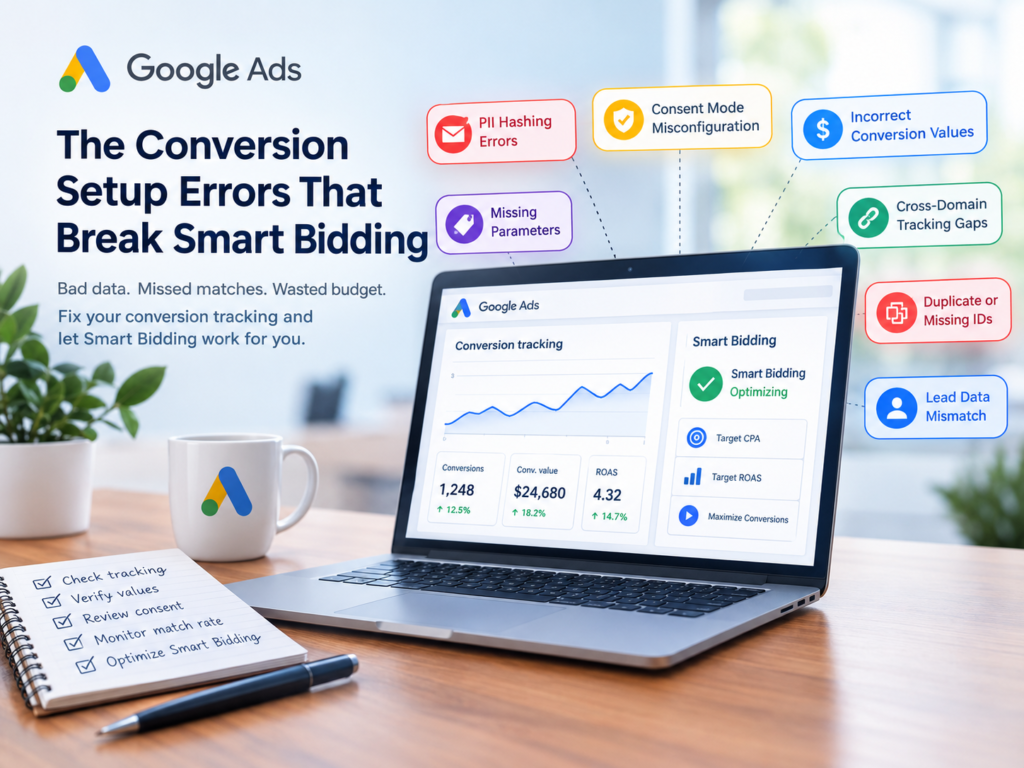
Google Ads Smart Bidding can automatically adjust bids to achieve goals such as more conversions, lower acquisition costs, or higher conversion value. However, its performance depends on the quality of the data it receives.
The Conversion Setup Errors That Break Smart Bidding are often hidden inside conversion tracking, website tags, consent settings, and ecommerce integrations. A campaign may continue reporting conversions even when some of those conversions are duplicated, incorrectly valued, or missing important matching information.
When this happens, advertisers may blame their bidding strategy instead of investigating the tracking system behind it.
In this guide, we explain seven common conversion tracking problems, why they affect automated bidding, and how to identify and fix them before they waste your advertising budget.
What Is Smart Bidding, and Why Does Conversion Data Matter?
Smart Bidding is Google’s automated bidding system that uses machine learning to optimize bids for conversion-related goals. Depending on the strategy, it can focus on conversions, conversion value, or a target such as Target CPA or Target ROAS.
The system learns from the conversion signals configured in your Google Ads account. If those signals do not accurately represent customer actions and business outcomes, the algorithm can make decisions based on misleading information.
For example, if one real purchase is accidentally recorded three times, the system may interpret that transaction as stronger performance than it actually was.
Before changing bids or campaign budgets, advertisers should investigate The Conversion Setup Errors That Break Smart Bidding and confirm that their tracking data is accurate, consistent, and relevant to their goals.
1. Incorrect Hashing or Formatting of Customer Data
Enhanced conversions can improve conversion measurement by using appropriately collected first-party customer data, such as email addresses or phone numbers, to help match conversions with Google accounts.
However, the matching process depends on correct data formatting and implementation.
For example, an email address containing unnecessary spaces or inconsistent capitalization may not match as expected if it is not normalized before hashing.
Phone numbers can also create problems when country codes, formatting, or other required details are inconsistent.
Why This Error Affects Smart Bidding
When customer information is formatted incorrectly, enhanced conversion matching may become less effective. Some conversions may still appear through existing tracking, but the additional matching information may be unavailable.
This can reduce measurement coverage and make campaign performance harder to evaluate accurately.
How to Fix It
- Trim unnecessary spaces from email addresses.
- Convert email addresses to lowercase before hashing where required.
- Normalize phone numbers according to Google’s current implementation requirements.
- Verify that hashing follows Google’s supported specifications.
- Review enhanced conversion diagnostics and data coverage.
- Test the setup with a controlled conversion.
Pro tip: A conversion count that looks normal does not automatically mean your enhanced conversion setup is working correctly.
2. Incorrect Consent Mode Configuration
Consent settings can influence which advertising-related data is collected and how conversion measurement works.
A common implementation problem occurs when a consent management platform does not communicate the user’s choices correctly to Google tags.
For example, a visitor may accept the relevant consent options, but the website’s tags may continue operating with an outdated consent state.
Two important consent parameters are ad_user_data and ad_personalization. Their behavior should reflect the applicable consent requirements and the website’s implementation.
Why Consent Timing Matters
A consent banner may update visually before the corresponding tag signals are updated. If a conversion event fires during that gap, the event may be processed under the wrong consent state.
This is particularly important for ecommerce purchases, lead forms, and other actions that happen immediately after a visitor accepts a banner.
Consent Mode does not replace the need for a valid consent mechanism or compliance with applicable privacy laws.
How to Fix It
- Confirm whether Basic or Advanced Consent Mode is implemented.
- Check that the consent management platform communicates user choices correctly.
- Verify that consent updates happen before relevant conversion events fire.
- Test acceptance and rejection scenarios.
- Review tag behavior using Google Tag Assistant.
- Consult your privacy or legal team before changing consent-related settings.
The goal is to measure conversions as accurately as possible while respecting user choices and applicable privacy requirements.
3. Conversion Values That Do Not Match Actual Revenue
Incorrect conversion values are particularly damaging when campaigns use value-based bidding, such as Target ROAS.
The problem occurs when Google Ads receives a value that does not accurately represent the transaction or business outcome.
Common causes include:
- Sending the same fixed value for every purchase.
- Passing the wrong currency.
- Including shipping costs inconsistently.
- Reporting gross revenue when the business evaluates net revenue.
- Failing to account for cancellations or product returns.
How Incorrect Values Mislead Automated Bidding
Imagine two customers each place an order worth ₹10,000.
The first order generates ₹3,000 in profit, while the second generates only ₹500 because of discounts and costs.
If both orders are reported as having the same conversion value, the bidding system cannot distinguish between their actual profitability using that value alone.
Revenue and profit are different measurements. Advertisers should decide which metric best represents their business objective and configure conversion values consistently.
How to Fix Conversion Value Tracking
- Pass the actual transaction value dynamically.
- Send the correct currency code.
- Decide whether shipping, taxes, discounts, and refunds should be included.
- Reconcile reported conversion values with ecommerce or CRM records.
- Use supported conversion adjustments to account for eligible cancellations, returns, or value changes.
- Consider suitable profit-based measurement where the required data and bidding features are available.
Important: There is no single revenue formula that suits every business. The critical requirement is to use a consistent value definition that aligns with your advertising objectives.
4. Website or Tag Updates That Break Tracking
Conversion tracking can work perfectly today and stop working correctly after a website update tomorrow.
A developer may change a checkout page, modify a data layer, reorganize Google Tag Manager, or update the website’s content management system.
These changes can affect variables used by conversion tags.
For example, the purchase event may still fire, but the transaction value could become empty. Alternatively, an email field used for enhanced conversions may no longer be available when the tag runs.
Why These Errors Often Go Unnoticed
Basic conversion tracking may continue functioning even when optional parameters or enhanced conversion data disappear.
As a result, conversion totals may appear normal while measurement quality gradually deteriorates.
Advertisers may notice the problem only after lead quality changes, reported revenue becomes inconsistent, or campaign performance starts fluctuating.
How to Detect and Prevent Tracking Breakages
- Test important conversion actions after website releases.
- Check Google Tag Manager variables and triggers.
- Use Google Tag Assistant to inspect events and tag behavior.
- Monitor conversion diagnostics and enhanced conversion coverage.
- Compare reported conversion totals with website, payment, or CRM records.
- Establish alerts for unexpected changes in conversion volume or value.
A regular tracking audit can identify these issues before they significantly affect campaign decisions.
5. Enhanced Conversions for Leads That Fail to Match CRM Records
Lead generation campaigns often depend on information that becomes available after the initial website conversion.
A visitor may submit a lead form, become a qualified prospect, schedule a meeting, and eventually become a paying customer.
Enhanced conversions for leads can help advertisers connect eligible first-party lead information with later offline conversion events.
However, the matching process can become less reliable when the information captured on the website differs from the information supplied during the offline conversion upload.
For example, a prospect may submit a personal email address but later be recorded in the CRM using a work email address.
If the implementation depends on a matching field that is no longer consistent, the offline conversion may fail to match as expected.
Why This Matters for Lead Generation
If Google Ads only receives the initial form submission, the bidding system may optimize toward generating more form fills rather than identifying the leads most likely to become customers.
That distinction matters when a business receives many enquiries but only a small percentage turn into sales.
How to Fix Offline Conversion Matching
- Capture the required matching information accurately at lead submission.
- Maintain consistent field formatting across your website and CRM.
- Preserve supported identifiers and click information where required.
- Check offline conversion upload errors and match diagnostics.
- Track meaningful downstream events, such as qualified leads or closed deals.
- Reconcile uploaded conversion records with actual CRM outcomes.
For businesses that depend on sales teams, connecting advertising data with CRM results can provide a more useful view of campaign performance.
6. Cross-Domain Tracking Problems
Some websites collect customer information on one domain but complete the conversion on another.
Common examples include ecommerce checkouts, external payment gateways, booking platforms, and third-party form systems.
If the conversion event fires on a different domain from the page where relevant user information was collected, the required information may not be available or associated correctly.
The result can be a purchase that appears in reporting without all the expected matching information.
How Cross-Domain Tracking Errors Happen
Consider an online store where a customer selects a product on the main website and completes payment through an external checkout service.
The purchase event fires on the checkout confirmation page, but the required tracking information is not carried through the journey correctly.
A test performed entirely on the main website may work, even though the real checkout journey has a tracking problem.
How to Fix Cross-Domain Tracking
- Map the complete customer journey from landing page to confirmation.
- Identify every domain and subdomain involved.
- Configure cross-domain measurement where appropriate.
- Check referral exclusions and unwanted payment-provider referrals where relevant.
- Verify that required conversion parameters are available on the confirmation page.
- Test the full customer journey, including the actual payment or booking process.
Testing only the first page is not enough. Conversion tracking should be verified across the entire path customers actually follow.
7. Duplicate or Missing Transaction IDs
Transaction IDs help identify individual purchases and support deduplication when the same transaction is reported through multiple eligible measurement paths.
If these identifiers are missing, duplicated incorrectly, or populated from the wrong field, purchase reporting can become unreliable.
For example, a customer may refresh a confirmation page and trigger the purchase event again. If the setup does not handle repeat events correctly, the same order may be counted more than once.
Another problem occurs when an ecommerce platform or custom integration sends an identifier that is not the actual order ID.
Special Considerations for Shopify Stores
Shopify stores can use multiple identifiers for carts, checkout sessions, and completed orders.
These identifiers are not interchangeable. An abandoned checkout or cart should not be treated as a completed purchase simply because its identifier resembles an order identifier.
The exact field depends on the integration and event being used, so advertisers should verify the source of each identifier rather than relying on its appearance alone.
How to Fix Transaction ID Problems
- Send a stable, unique identifier for each completed order.
- Confirm that the identifier represents the actual transaction.
- Test what happens when a confirmation page is refreshed.
- Check for repeated purchase events across browser and server-side tracking.
- Verify that test orders are excluded from production reporting where appropriate.
- Compare a sample of reported purchases with the ecommerce backend.
For value-based campaigns, duplicate purchase events can inflate both conversion counts and reported revenue. This may lead the bidding system to pursue performance patterns that do not reflect real business results.
How to Audit Conversion Tracking Before Changing Smart Bidding
If campaign results suddenly become unstable, changing the bidding strategy should not be the first step.
Start by checking the data that the strategy uses.
A Practical Conversion Tracking Checklist
Step 1: Review conversion actions
Confirm that the correct conversion actions are selected for campaign optimization. Check whether primary actions represent meaningful business outcomes.
Step 2: Test the conversion journey
Complete a test purchase or lead submission and confirm that the expected event fires once with the correct parameters.
Step 3: Validate conversion values
Compare a sample of Google Ads conversion values with the corresponding transactions in your website, ecommerce platform, or CRM.
Step 4: Check enhanced conversion diagnostics
Review data coverage, matching diagnostics, and implementation warnings. Investigate unexplained changes rather than relying on conversion totals alone.
Step 5: Verify consent behavior
Test relevant consent scenarios and confirm that the implementation reflects the user’s choices.
Step 6: Check transaction IDs
Look for missing IDs, unexpected duplicates, and identifiers that do not correspond to completed transactions.
Step 7: Compare online and offline outcomes
For lead generation, reconcile uploaded qualified leads and sales with the CRM. For ecommerce, compare reported purchases and values with backend records.
Step 8: Monitor changes over time
Review tracking performance after site releases, tag updates, checkout changes, and CRM integration changes.
Remember that differences between Google Ads and backend reporting can occur because of attribution models, reporting time zones, conversion windows, consent choices, and processing delays. Investigate meaningful discrepancies rather than expecting every report to match perfectly.
Why Accurate Conversion Data Matters More Than Ever
Automated bidding can make thousands of bidding decisions using the signals available to it. But automation does not guarantee that the underlying data is correct.
If your account records duplicate purchases, misses qualified leads, or assigns unrealistic values to conversions, a sophisticated bidding strategy can still produce disappointing business results.
The most effective response is to establish a dependable measurement process.
That means validating conversion actions, maintaining reliable tracking after website changes, checking data quality, and connecting advertising performance to genuine business outcomes.
Before changing targets or switching bidding strategies, investigate The Conversion Setup Errors That Break Smart Bidding. Correcting a tracking problem may provide more value than making another round of campaign adjustments.
Ultimately, successful Google Ads optimization starts with trustworthy conversion data. When the signals are accurate and aligned with your business goals, Smart Bidding has a stronger foundation for making informed decisions.
Frequently Asked Questions
1. What are the most common conversion setup errors in Google Ads?
Common issues include incorrect enhanced conversion data formatting, consent configuration problems, inaccurate conversion values, broken website tags, failed offline conversion matching, cross-domain tracking gaps, and duplicate or missing transaction IDs.
2. Can incorrect conversion tracking affect Smart Bidding?
Yes. Smart Bidding uses configured conversion signals to optimize bids. If those signals are duplicated, incomplete, or incorrectly valued, the system may optimize toward outcomes that do not accurately reflect business performance.
3. How can I check whether Google Ads conversion tracking is working?
Test a real or controlled conversion journey, inspect tags using Google Tag Assistant, review conversion diagnostics, and compare reported conversions with the corresponding website, ecommerce, or CRM records.
4. Why are Google Ads conversions different from Shopify orders?
Differences can result from attribution settings, reporting time zones, conversion windows, consent behavior, reporting delays, duplicate events, or incorrect tracking implementation. Compare the same dates and transaction definitions before investigating individual orders.
5. Should I change my Smart Bidding strategy when performance drops?
Not immediately. First, check tracking integrity, conversion values, recent website changes, lead quality, and business results. If the measurement setup is correct, evaluate whether the bidding strategy and its targets still fit your objectives.
Final Thoughts
Smart Bidding is only as useful as the conversion information it receives. Accurate tracking, reliable transaction identifiers, consistent conversion values, and properly implemented consent signals help advertisers make better-informed decisions.
Treat conversion tracking as an ongoing responsibility rather than a one-time setup. Schedule regular audits, test changes before they reach production, and investigate unexplained differences between advertising reports and actual business outcomes.
By addressing the conversion setup errors that break Smart Bidding, you can improve measurement reliability and give your campaigns a stronger foundation for sustainable growth.